The post Fix and repair corrupt usb without any software in 1 minute appeared first on Coding Sips.
]]>This method does not take longer time and has nothing to pay for third party software, so we should try this method on our damaged USBs to repair and fix it. 80% of corrupt USBs can be fixed with this method. so learn this method of how to repair corrupt USB and also share with your friends so that we do not trash your drives instead we should try to fix it.
Using this method you can not save your data that is present in your USB, that all will be washed out.

step 1: plug-in your USB to Computer
step 2: in your computer open cmd, by pressing WIN+R type cmd and hit enter
step 3: type the following command and hit enter
diskpart
a new window will open same like cmd now we have to work with this new diskpart window
step 4: list disks on your system using the following command
list disk
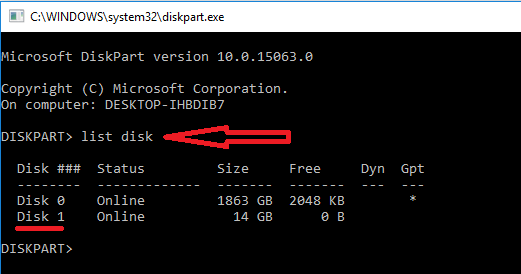
step 5: Now select USB, in most cases the last one, using this command
select disk 1

step 6: clean the disk, means remove everything. using this command
clean
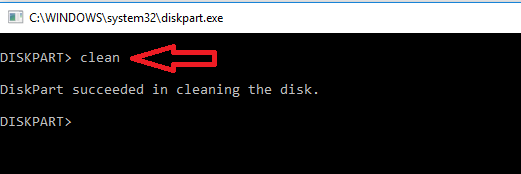
step 7: as our USB is clean now, we have to create new partition on it, using this command
create partition primary

step 8: when we create new partition we have to format it for the first time
we can format it using the following command
format fs=fat32 quick

Till here most of the usb will be fixed
if you are still not seeing your USB drive in MY COMPUTER, then you have to run 2 more commands
step 9: make it active using this command
active
step 10: change drive letter for usb, using this command
assign
hurray! it is fixed now 
here are all commands
diskpart
list disk
select disk 1
clean
create partition primary
format fs=fat32 quick
active
assign
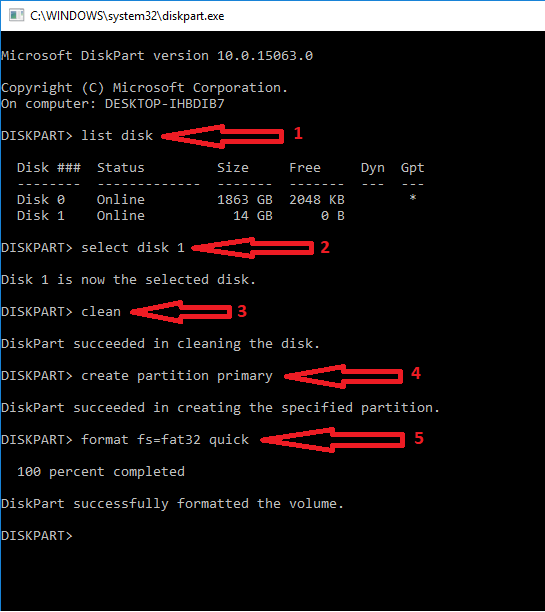
here is snap of all commands at once, really it is very easy.
The post Fix and repair corrupt usb without any software in 1 minute appeared first on Coding Sips.
]]>